Overview

This page walks through the end-to-end member journey for the Banno integration, screen by screen. The journey covers both roles:
  • Acceptor (new member) — lands on the Banno dashboard, discovers the RAF tile, submits a referral code, and tracks eligibility.
  • Inviter (existing member) — shares a permanent personal code via email, SMS, or social, and watches joined / rewarded counts increment.
Every screen below is served by the Django plugin embedded inside the Banno dashboard as an iframe.

1. Plugin Tile — Acceptor Entry (/plugin/)

Banno Garden dashboard with the Refer-a-Friend plugin tile showing an acceptor-entry state, with a banner saying 'Click here to submit the referral code'. The /plugin/ endpoint returns a server-rendered tile that renders inside the Banno dashboard iframe. The tile is dynamic — it changes based on the RAF state of the signed-in member.
Plugin StateShown When
anonymousNo valid raf_access_token cookie. Shows the generic “Refer a friend” artwork plus a banner linking to the submit-code flow.
inviter_readyMember has a permanent code and no pending acceptor role. Shows Joined N and an Invite Now button.
acceptor_pendingCode submitted, criteria not yet met. Shows “Click here to check eligibility status”.
acceptor_eligibleAll criteria met; reward awaiting payment.
acceptor_paidReward paid; terminal state.
Clicking anywhere on the tile routes to /auth/, which starts the Banno OIDC flow.

2. Submit Referral Code — Entry (/refer/)

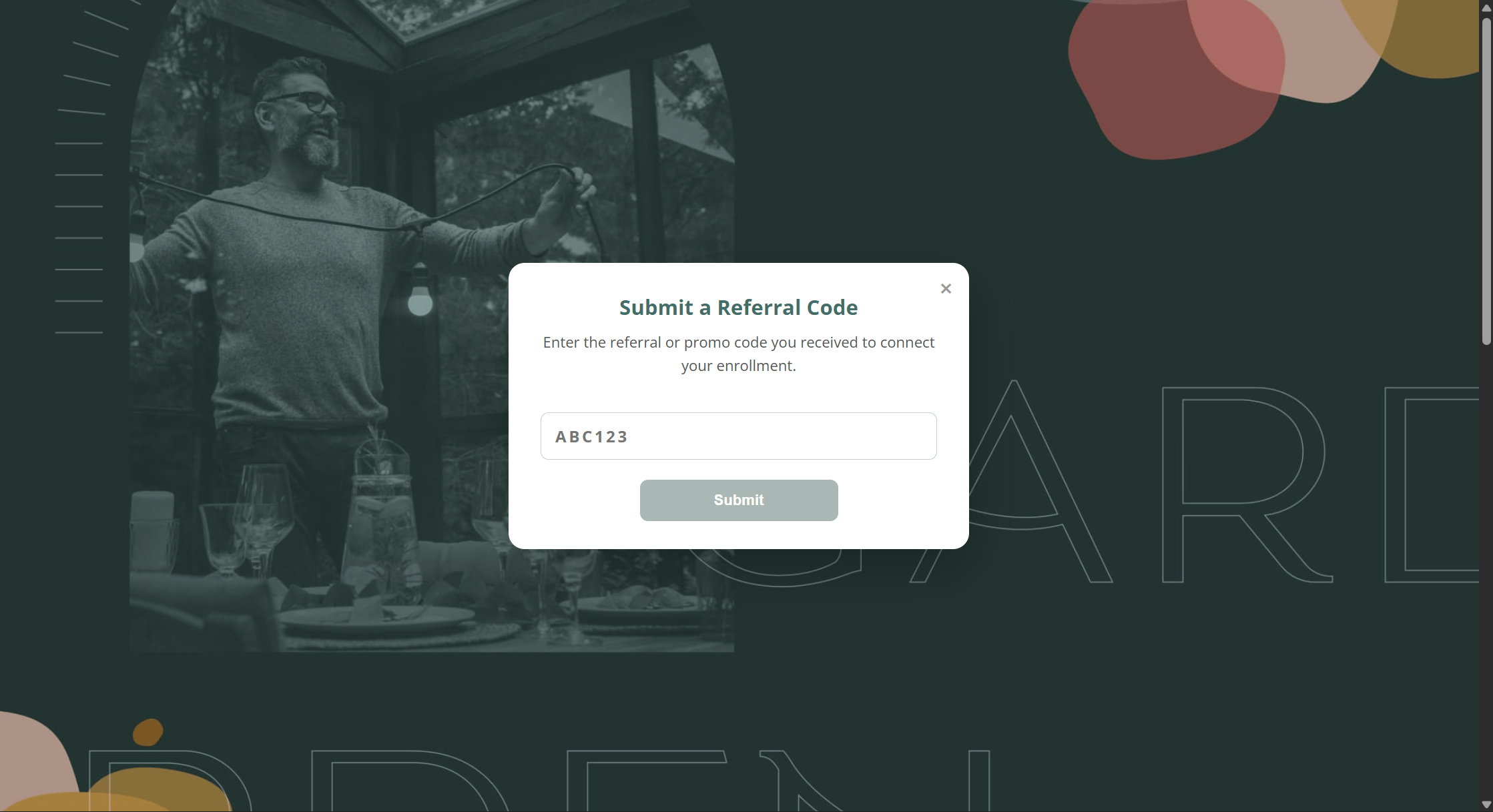
Refer-a-Friend landing page with the Submit a Referral Code modal open, an invalid example code 'ABC123' typed into the input. After the member signs in through Banno, they land on the full RAF page. New members see the Submit a Referral Code modal with the program description on the left and the code input on the right. The call on submit is:
POST /api/referrals/code/
Authorization: Bearer <internal-jwt>
Content-Type: application/json

{ "referral_code": "ABC123" }
Validation runs server-side through referral_service.py and includes:
  • Code exists and is active.
  • Acceptor ≠ inviter (no self-referral).
  • Acceptor has not already submitted a code in this campaign.
  • Acceptor SSN hash does not match the inviter’s SSN hash (blocks same person across multiple OLB accounts).
  • Acceptor SSN hash has not been seen on a prior submission.
  • No mutual code reuse.
  • An active campaign matches.

3. Valid Code Entered

Same Submit a Referral Code modal with a valid 6-character code 'VZDWBK' entered, ready to submit. Codes are 6-character alphanumeric, case-insensitive, and validated against Member.code scoped by tenant. The client does not pre-validate — the server performs the full validation cascade on submit.

4. Code Accepted

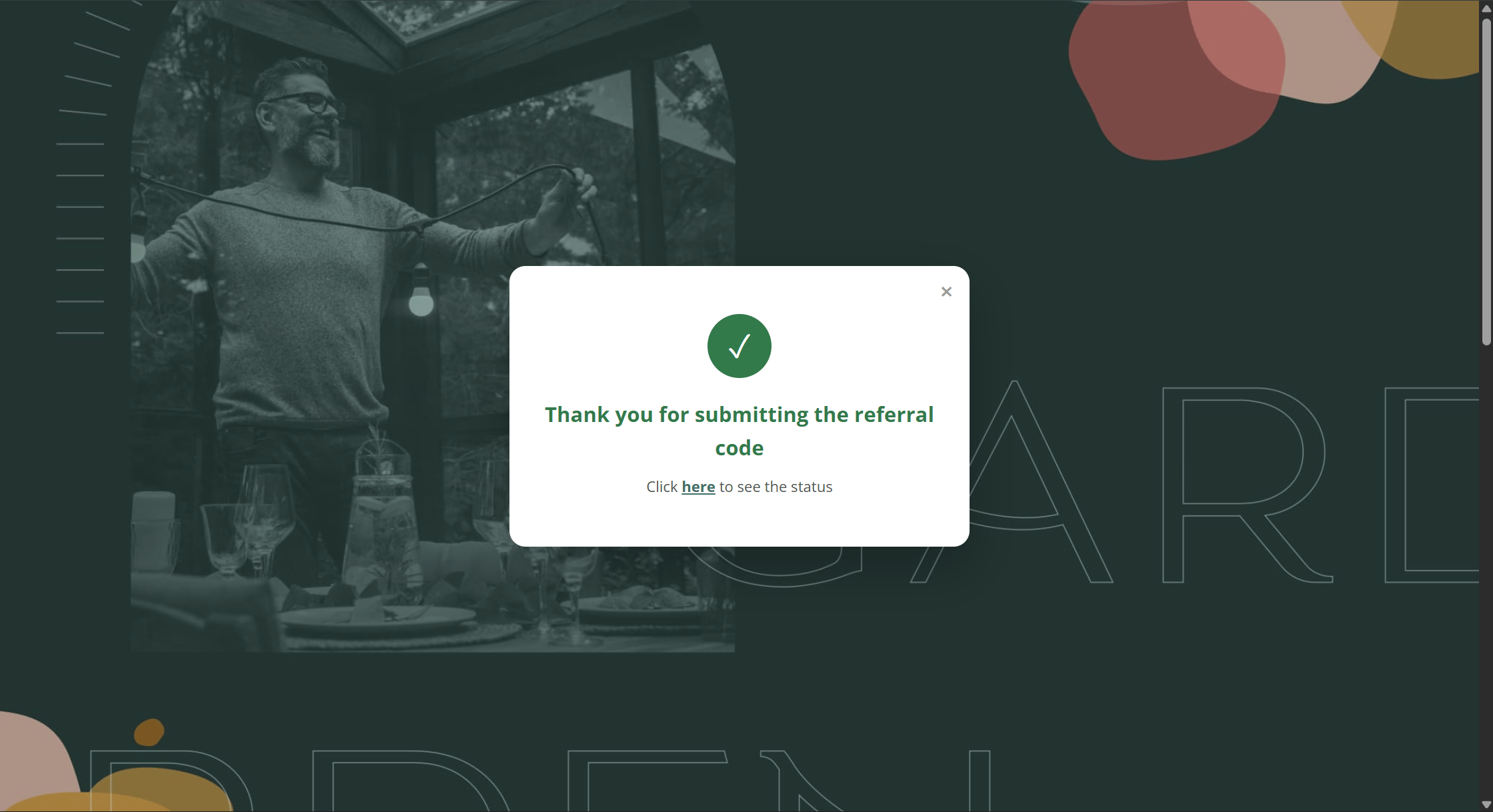
Submit a Referral Code modal showing a green success banner: 'Referral code accepted for 1 campaign(s).' On success, the API responds with:
{
  "success": true,
  "data": {
    "campaigns_matched": 1,
    "referrals_created": [
      {
        "referral_id": 4217,
        "campaign_name": "Auto Loan Summer Push",
        "ccw_expires_at": "2026-06-07",
        "status": "submitted"
      }
    ]
  },
  "error": ""
}
A Referral row is created with status = 'submitted', ccw_expires_at = submitted_at + campaign.ccw_days, and eligibility_progress initialized to per-criterion false. If multiple active campaigns match, one Referral row is created per matching campaign.

5. Inviter Share Page

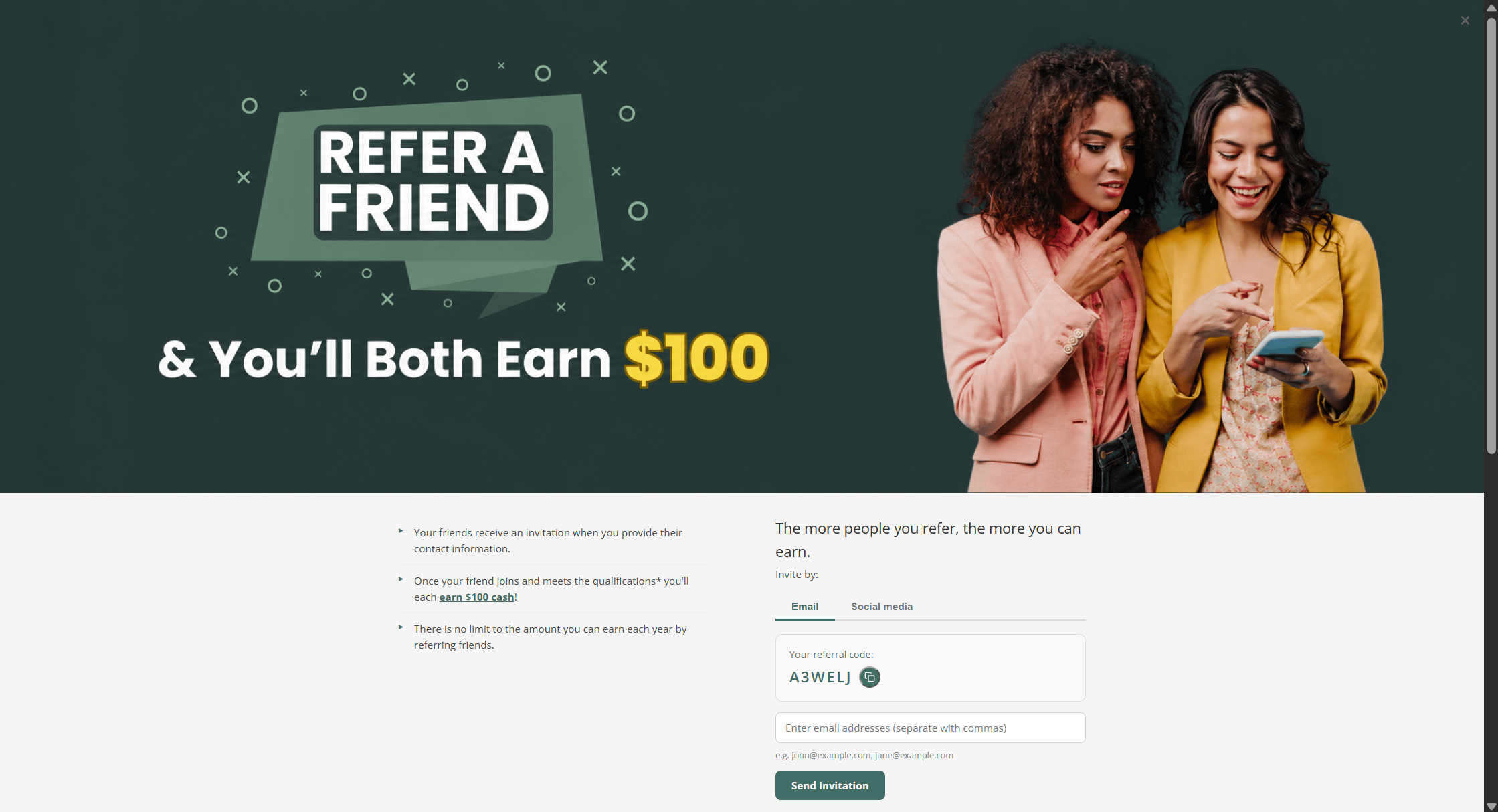
Refer-a-Friend full page for an existing member showing 'You'll Both Earn $100', the inviter's permanent code '1TUXR0', email/social tabs, and share buttons for Facebook, WhatsApp, X, and copy-link. Existing members see their permanent code (1TUXR0 in the example) plus share options:
  • Email — the app composes an invite email via email_service.py and hands off to SMTP / SendGrid based on EMAIL_PROVIDER.
  • Social media — pre-filled share URLs for Facebook, WhatsApp, X, and a copy-to-clipboard fallback.
The code is generated on first sign-in via referral_code_service.get_or_create_code() and is permanent per member — the same code is reused across every campaign for that member.

6. Plugin Tile — Inviter State

Banno Garden dashboard showing the Refer-a-Friend plugin tile in inviter mode: headline 'Refer a friend — You both get rewards', 'Joined 0' counter, an Invite Now button, and a link 'Click here to check eligibility status'. When a member both (a) has a permanent code and (b) has a pending acceptor referral of their own, the plugin tile reflects both roles: the inviter call-to-action Invite Now sits above a secondary link to the acceptor eligibility status page. The Joined N counter is the number of acceptors who have submitted this member’s code and are currently in submitted, criteria_met, ready_to_pay, or paid status (excludes expired).

7. Reward Eligibility Status

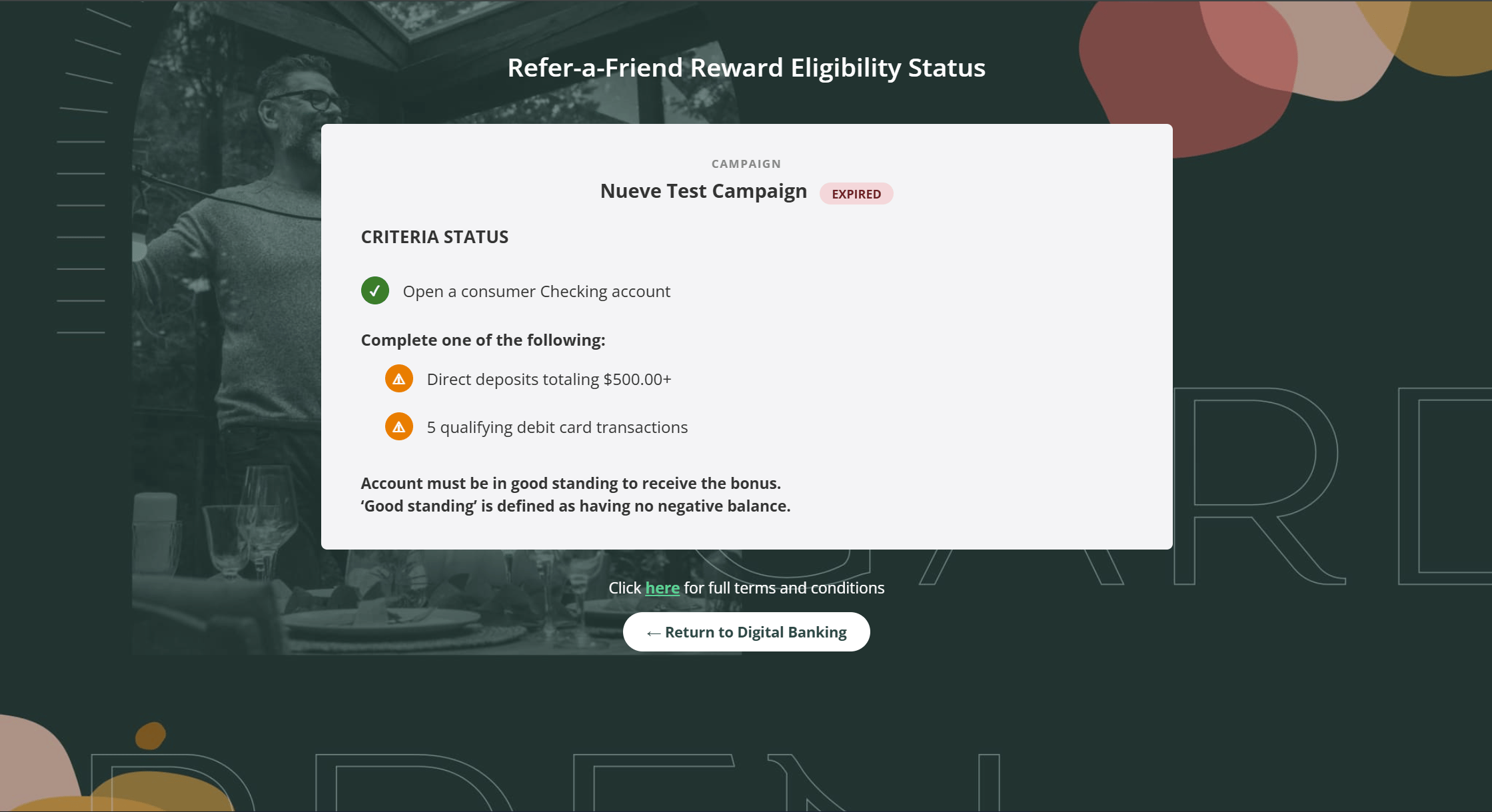
Refer-a-Friend Reward Eligibility Status page showing 'Auto Loan Summer Push — SUBMITTED', criteria window closing June 7, 2026, and one criterion: 'Open a consumer auto loan account' with a warning icon indicating not yet met. Acceptors can track progress at /dashboard/eligibility/. For each referral the page shows:
  • Campaign name and current status badge (SUBMITTED, CRITERIA MET, READY TO PAY, PAID, EXPIRED).
  • ccw_expires_at — the deadline to meet all criteria (“Criteria window closes: June 7, 2026”).
  • A per-criterion checklist rendered from Referral.eligibility_progress. Each criterion shows as met (green check) or not met (orange warning).
Data flow:
  1. /api/eligibility/ is called from the page.
  2. If a valid Banno access token is in the server-side cache → eligibility_service.py runs the live path: calls the Banno Consumer API, re-evaluates criteria_config.logic, persists the result.
  3. If no valid Banno token → the cached path returns the last known eligibility_progress JSON from the Referral row.

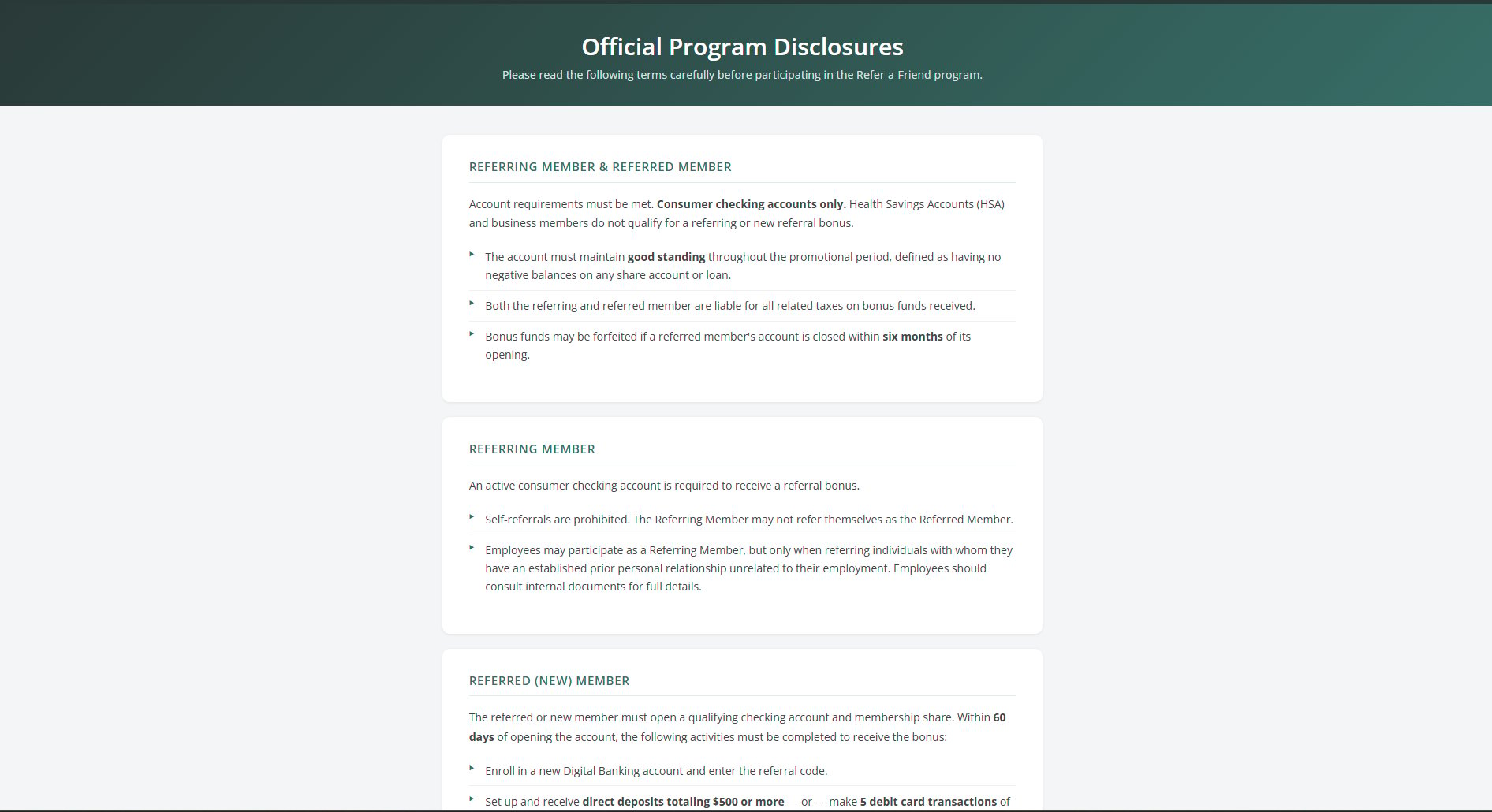
8. Program Terms & Conditions

Official Program Disclosures page for the Refer-a-Friend program. Sections labeled 'Referring Member & Referred Member' and 'Referring Member' with legal bullet points about eligibility, HSA exclusion, good standing, and tax implications. A static disclosures page is bundled with the plugin and linked from both the inviter share page (“Click here for full terms and conditions”) and the eligibility status page. Typical content:
  • Qualifying account types (consumer checking only; HSAs excluded).
  • Good-standing requirement — no negative balances during the promotional period.
  • Forfeiture clause if the referred member closes the account within six months.
  • Self-referral prohibition and anti-abuse language.
  • Tax treatment — bonuses are reportable on 1099 forms.
The content is FI-editable; copy is supplied during onboarding and dropped into the template under InviteFriend/templates/InviteFriend/terms.html.

Supporting API Calls

ScreenEndpointPurpose
Plugin tileGET /plugin/Server-rendered tile; reads cookie JWT to pick state
Auth startGET /auth/Build PKCE + state, 302 to Banno
Auth callbackGET /oidc/callback/Validate state, exchange code, set cookie
Dashboard / refer pageGET /dashboard/, GET /refer/Authenticated HTML pages
Submit codePOST /api/referrals/code/Create Referral after full validation cascade
Invite emailPOST /api/referrals/invite/Send invite via configured email provider
EligibilityGET /api/eligibility/Live or cached criteria evaluation
Reward stateGET /api/rewards/status/Current state of each referral’s reward
AccountsGET /api/accounts/Account list from Banno Consumer API