
Dashboard
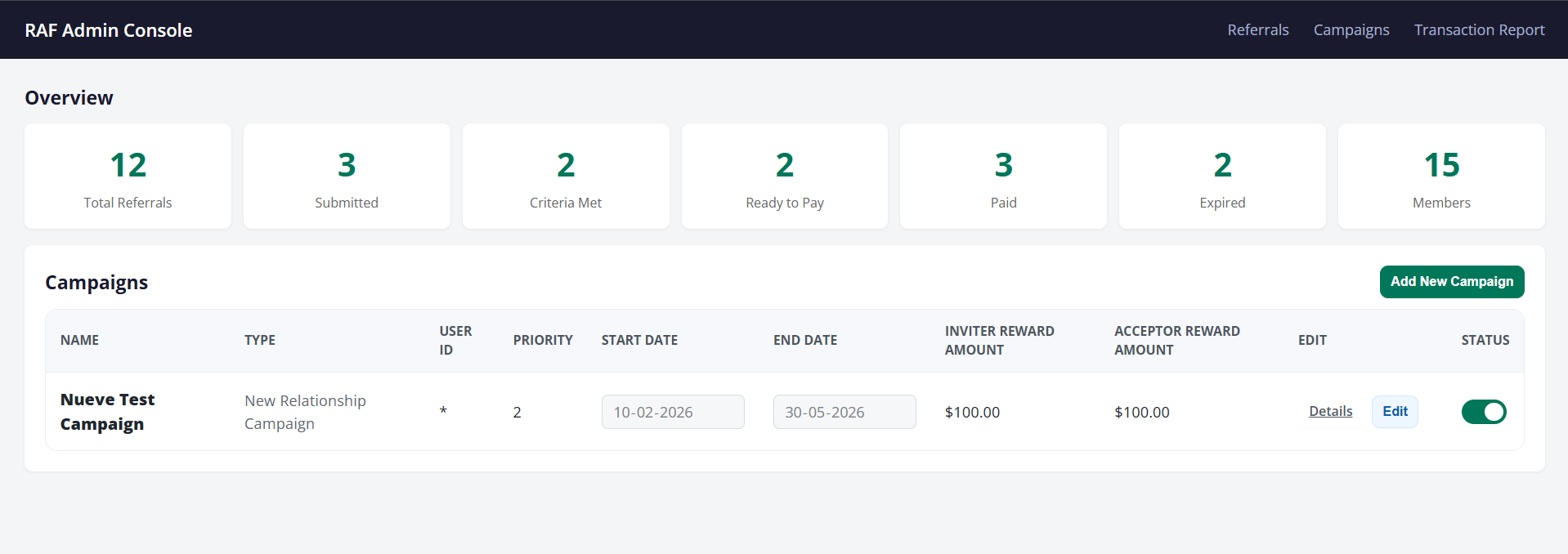
Campaigns table (bottom section)
Below the stats, the dashboard lists all active and inactive campaigns. For each campaign you can see its name, type, priority, start and end dates, how much each party earns, and whether the campaign is currently live (the toggle on the right).
From here staff can click Details to view the full campaign, Edit to update dates or reward amounts, or Add New Campaign to create a new one.
Referrals
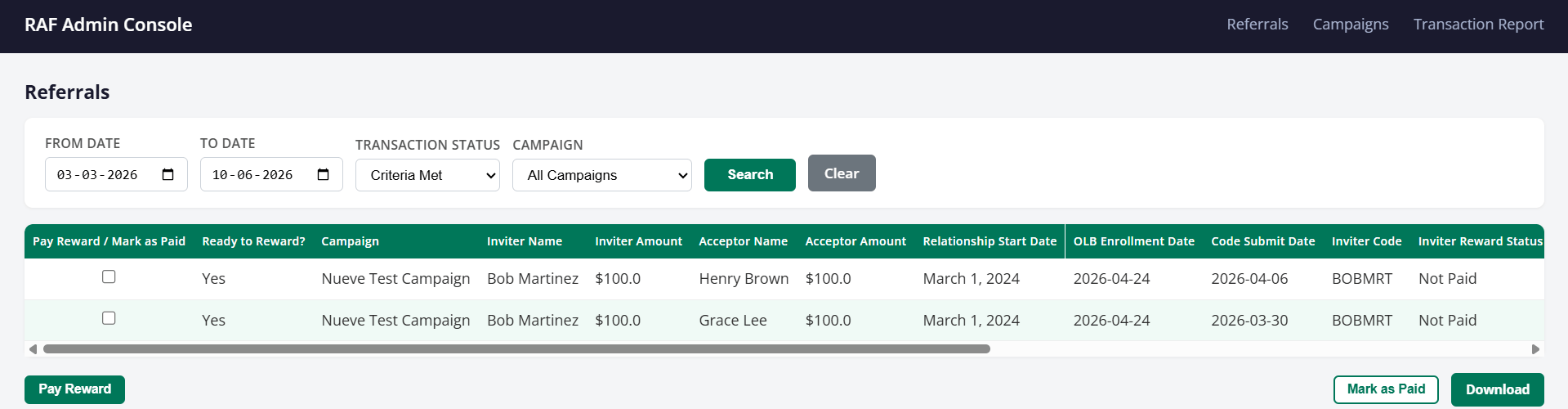
Paying rewards
Staff can select one or more referrals using the checkbox on the left and then:
- Pay Reward — Sends the reward directly to both the inviter’s and acceptor’s accounts from the configured holding account
- Mark as Paid — Records the reward as paid manually, without triggering a transfer (useful if the payment was handled outside the system)
- Download — Exports the filtered list as a CSV for records or reporting
Campaigns
The Campaigns section lets staff manage all referral campaigns for the institution. Each campaign defines the rules of the program: who qualifies, what the acceptor needs to do to earn the reward, how much the inviter and acceptor receive, and how long the program runs. What you can do:- Create a new campaign — Set the campaign name, type, dates, reward amounts, and eligibility rules
- Edit an existing campaign — Update end dates or adjust reward amounts at any time; start dates can only be changed before the campaign begins
- Enable or disable a campaign — Use the status toggle to turn a campaign on or off without deleting it